音を聞くだけで押さえ方がわかる。ウクレレ奏者のための次世代チューナー。
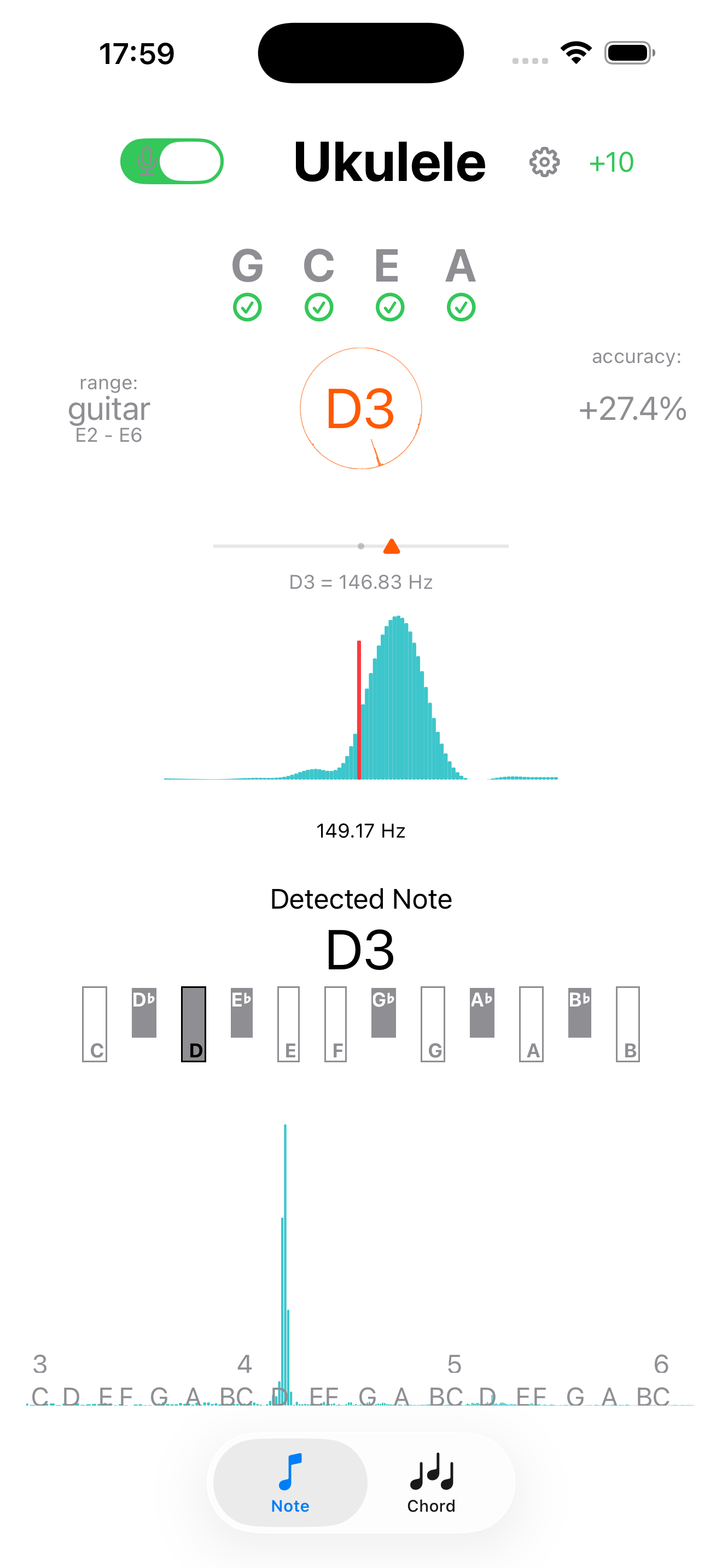
『Ukulele Tuner』は、iPhoneやiPadの高性能マイクを活用し、正確なチューニングからリアルタイムのコード自動検出までを一台で完結できるアプリです。
App Store からダウンロードスクリーンショット
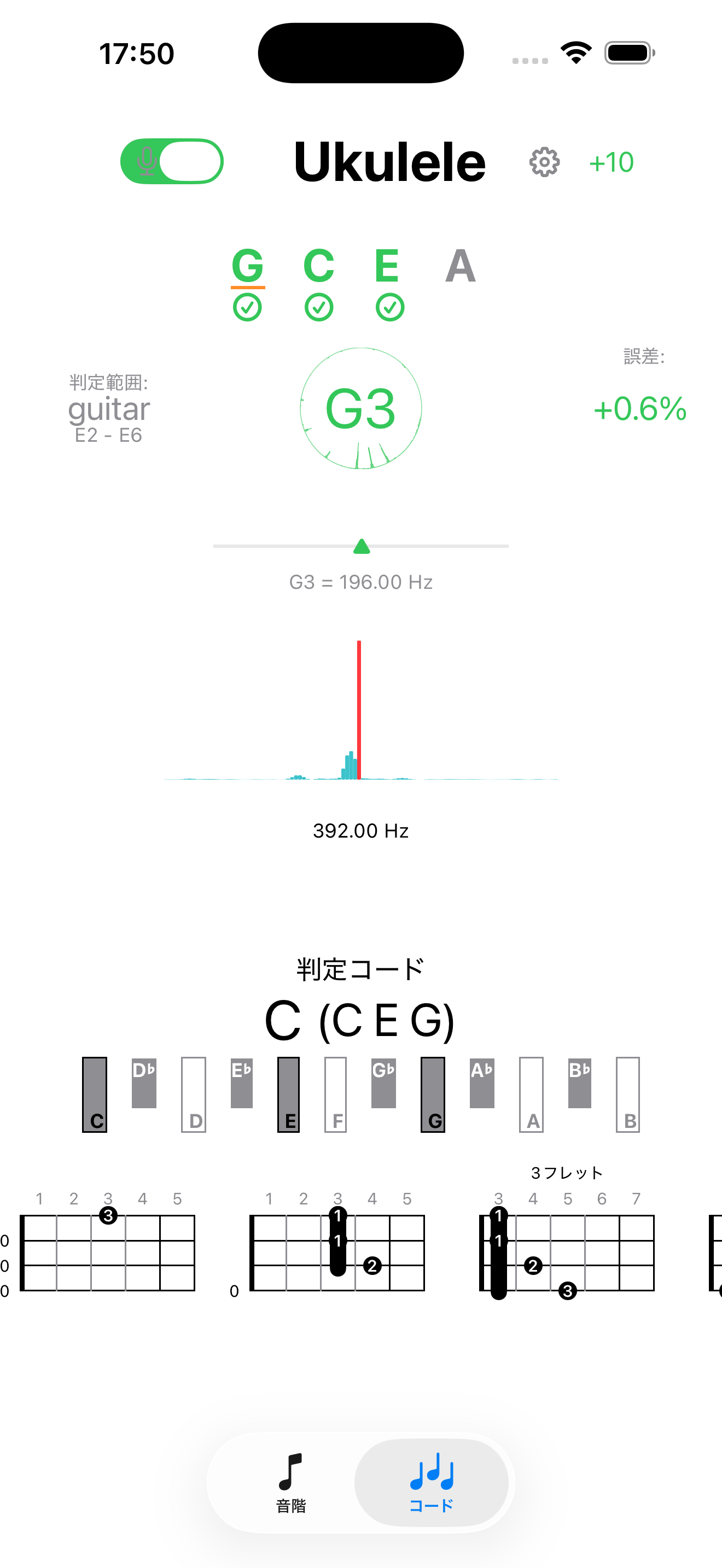
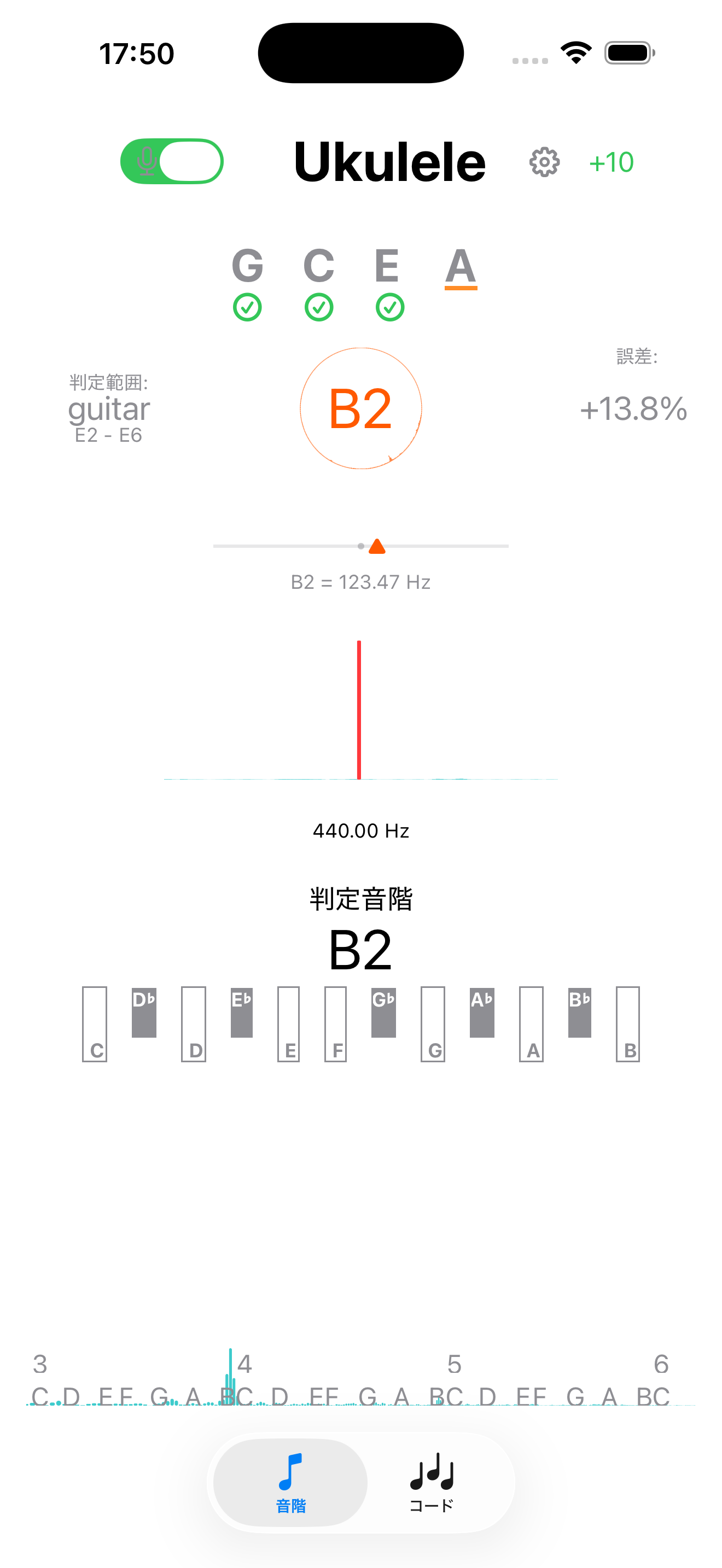
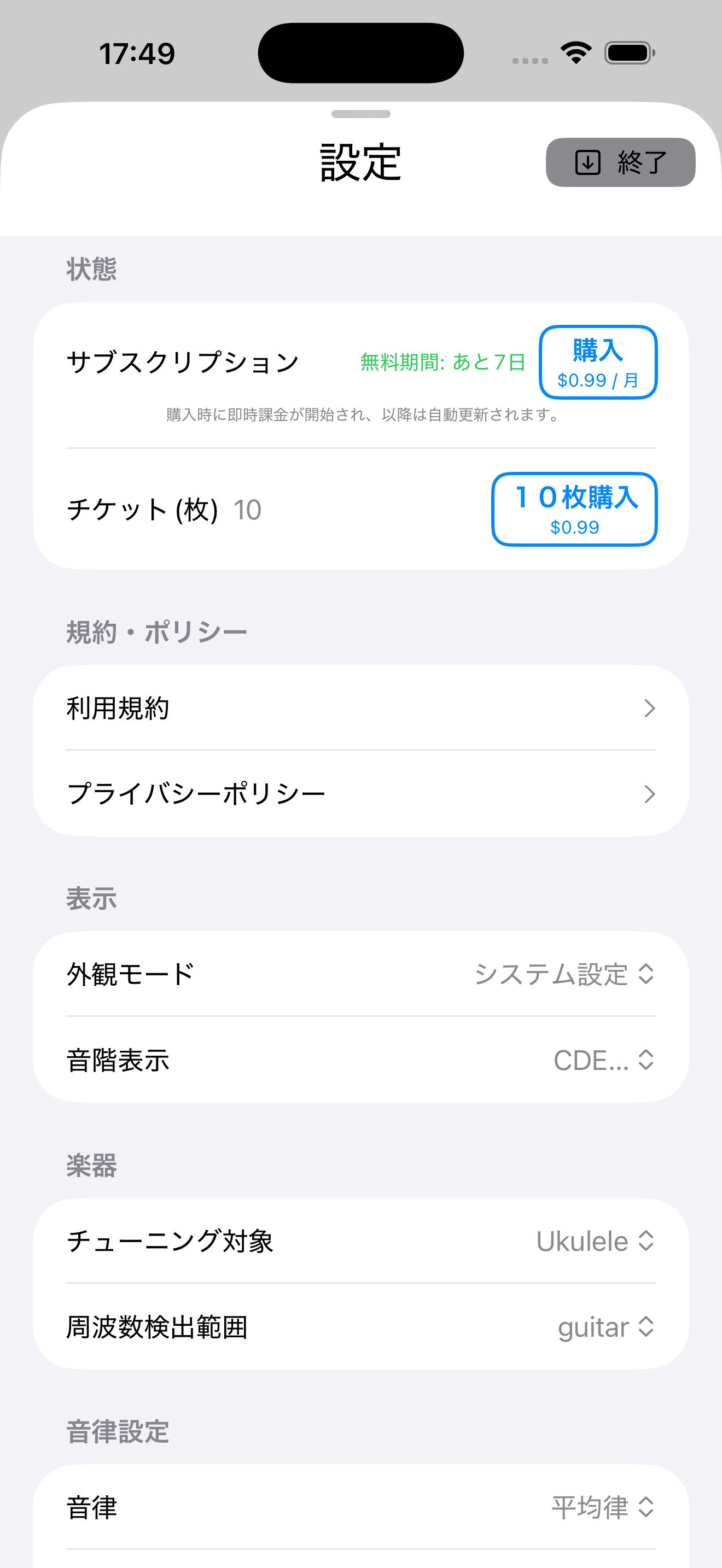
耳で聞いても押さえ方が分からない時の強い味方
ウクレレを弾いていて「音は聞こえるけれど、どうやって指を押さえたらいいか分からない」ということはありませんか?本アプリはマイクから流れる音を解析し、コードを自動で検出してその押さえ方を画面にリアルタイムで表示します。初心者からステップアップしたい方まで、あなたの演奏を優しくサポートします。
こだわり派も納得の充実機能
- AI自動コード検出機能:ウクレレの音を聴き取り、瞬時にコード名とダイヤグラム(押さえ方)を表示します。
- バーチャルキーボード搭載:画面上のキーボードを押すだけでコードの確認が可能。同じキーをタップするごとに「Major → Minor → 7...」と、ウクレレでよく使われるコードを一通り網羅して確認できます。
- マルチ・コードフォーム対応:1つのコードに対して押さえ方は1種類とは限りません。曲の前後関係に合わせて選べるよう、複数の押さえ方を確認できます。
- 美しい響きを追求する「古典音律」:通常の平均律に加え、ベースとなる音階(基準音)を設定して、和音の濁りのない美しい響きを引き出す純正律やピタゴラス律での調律が可能です。ソロ演奏やアンサンブルのクオリティを格段に高めます。
アプリの維持・運営へのご協力のお願い
ウクレレを愛するすべての皆さんのために、通常のチューニング機能だけであれば完全無料でずっとお使いいただけます。
もし「コード判定機能が役に立った」「価値があるアプリだ」と感じていただけましたら、今後のメンテナンス費やアプリ維持のために、少しばかりアプリ内課金でご支援をいただけますと大変励みになります。
Hear the Sound, See the Chord. The Ultimate Ukulele Companion.
"Ukulele Tuner" leverages the advanced microphone of your iPhone and iPad to bring you high-precision tuning and instant, real-time chord detection all in one app.
Download on the App StoreScreenshots
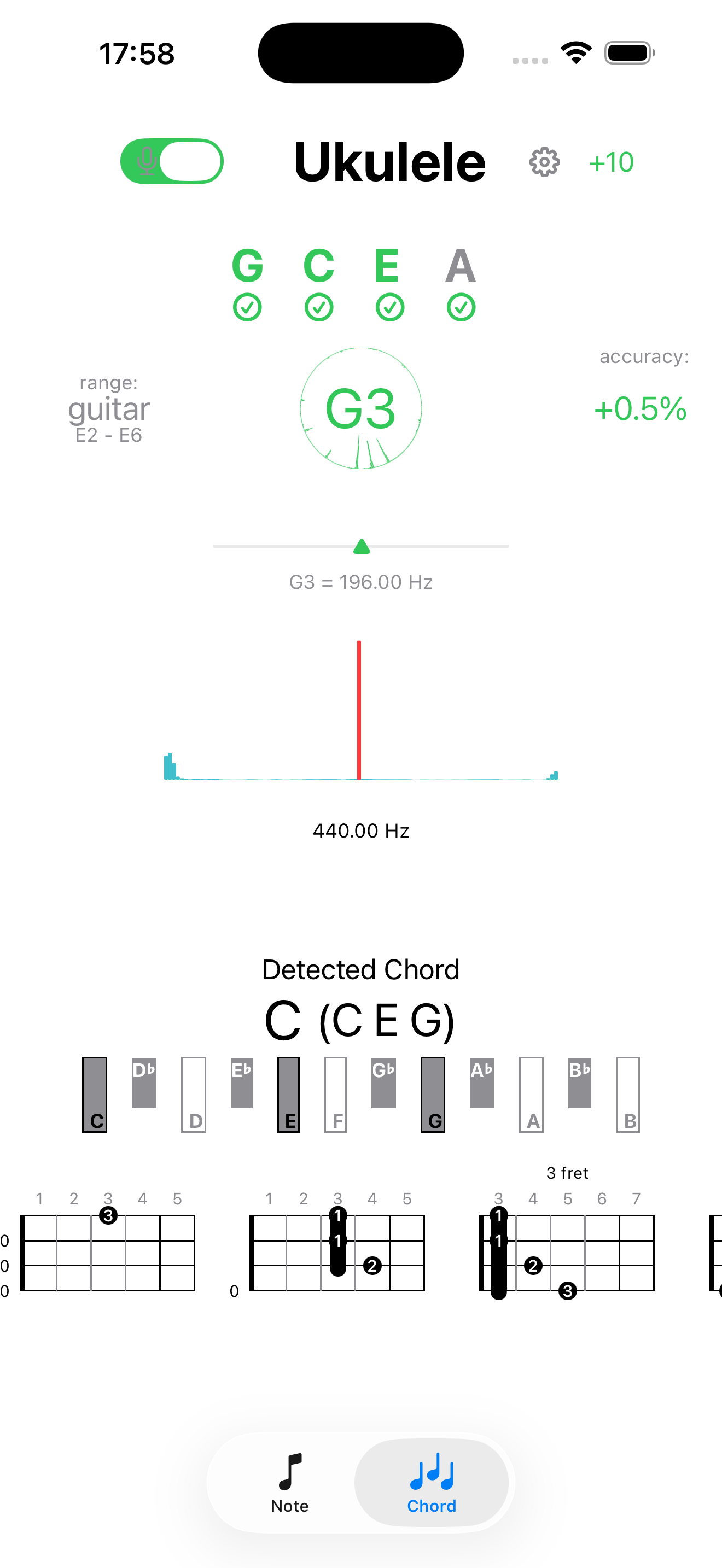
Never Struggle with Unknown Chords Again
Have you ever heard a beautiful ukulele chord but didn't know how to play it? Our app listens to the sound and automatically detects the chord, instantly showing you the exact finger positions on screen. It's the perfect guide when your ears hear the music but your fingers need direction.
Powerful Features for Every Ukulele Player
- AI Chord Detection: Listens to your ukulele and instantly identifies chords along with their visual fret diagrams.
- Interactive Virtual Keyboard: Easily verify chords by tapping the on-screen keys. Tapping the same key cycles through Major → Minor → 7th, covering all standard ukulele chords.
- Multiple Chord Positions: There is often more than one way to press a chord. The app shows multiple fingerings so you can choose the best form for your song.
- Unlock Pure Harmony (Advanced Temperaments): Supports standard Equal Temperament, as well as Just Intonation and Pythagorean tuning based on your selected root note to bring out pure, crystal-clear harmonics.
Supporting Our Ukulele Community
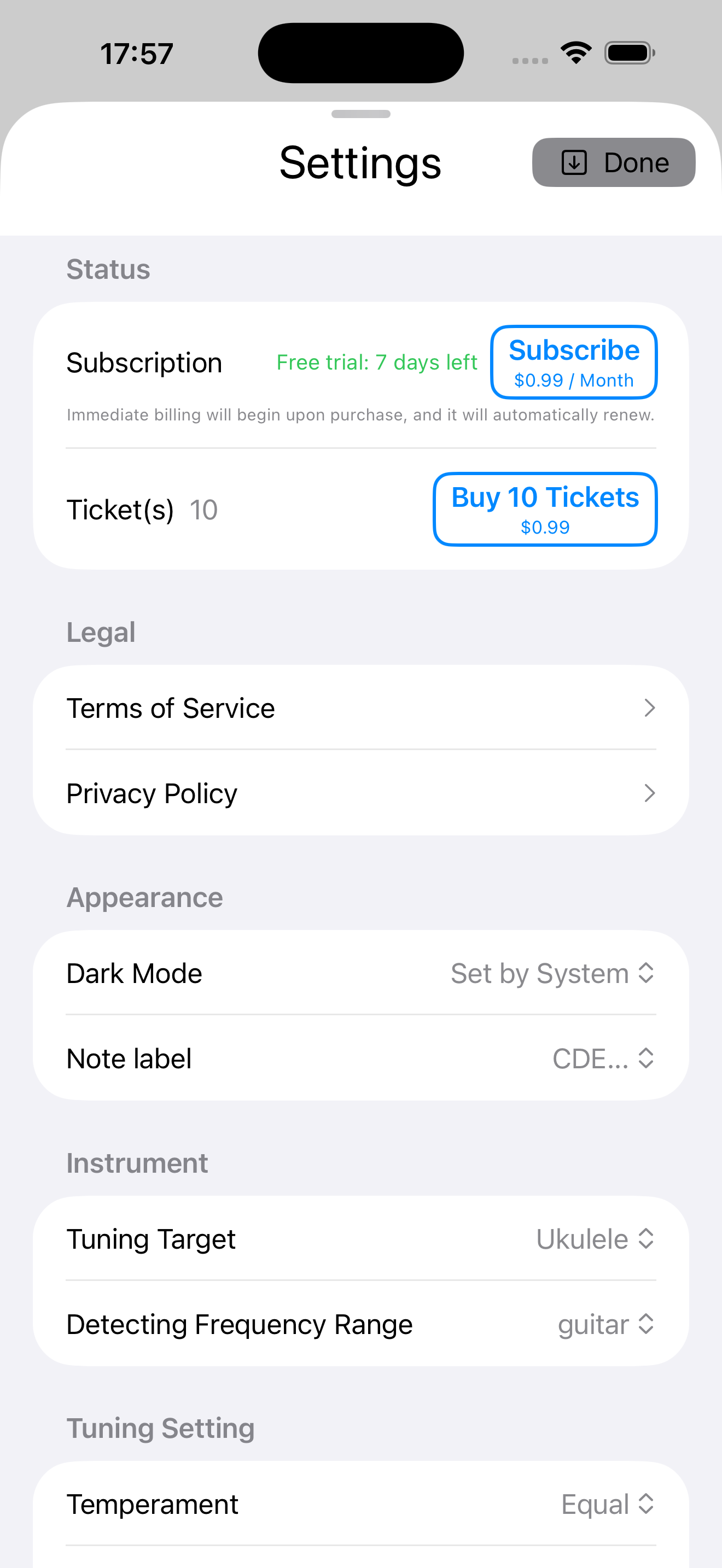
For the love of ukulele, the standard tuning feature is completely free to use for everyone.
If you find value in the AI chord detection and library features, please consider supporting us through a small in-app purchase. Your support directly helps cover ongoing maintenance and future app updates.