Ukulele Tuner

Apple Watch用ウクレレ&ギターチューナー

Ukulele & Guitar Tuner for Apple Watch

📱 iPhone / iPad版をお探しですか? iPhone / iPad専用ページはこちら 📱 Looking for the iPhone / iPad version? Go to iPhone / iPad Page

手首のApple Watchが、最高精層のチューナーになる。

クリップチューナーは、もういらない。ウクレレとギターを愛するすべてのプレイヤーへ贈る、次世代の調律アプリ『Ukulele Tuner』。

App Store からダウンロード

スクリーンショット

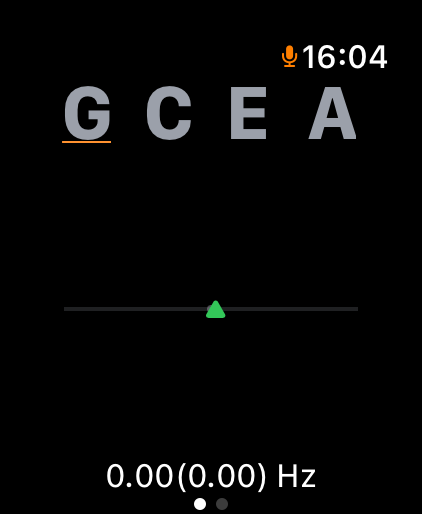
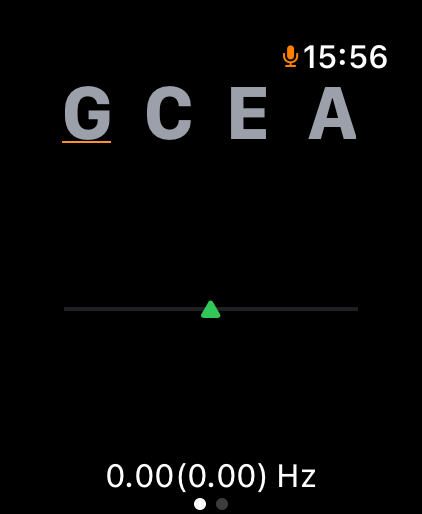
チューニング画面
ウクレレモード
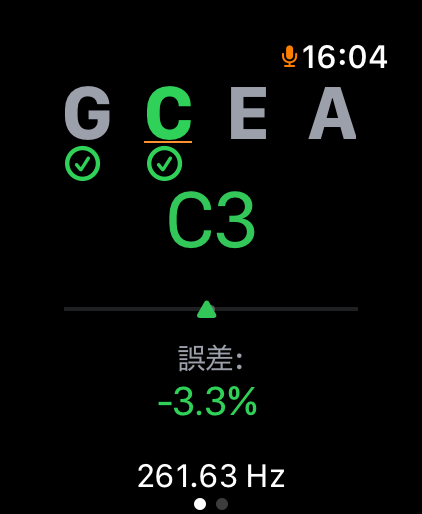
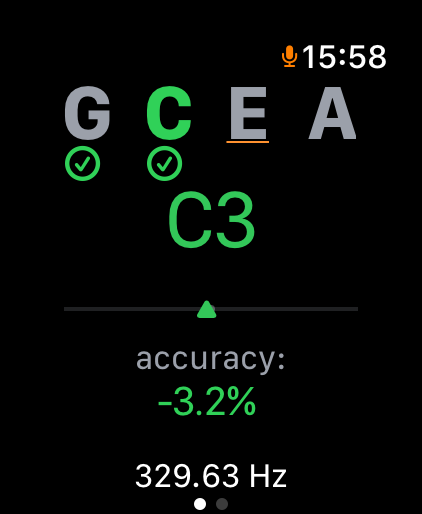
チェックマーク画面
常時監視機能
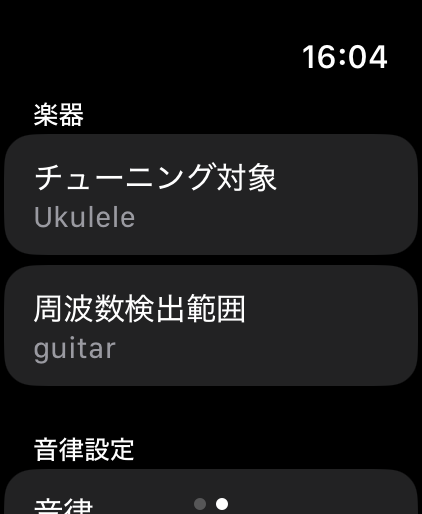
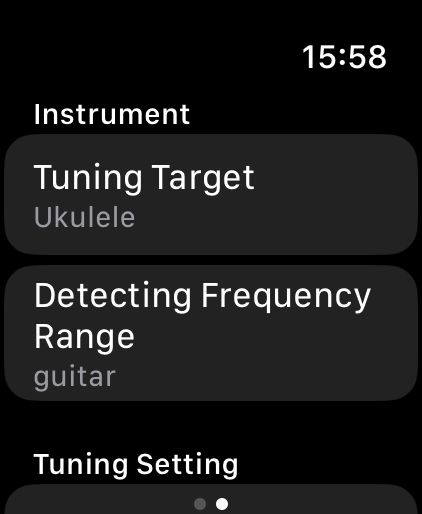
楽器選択画面
楽器選択
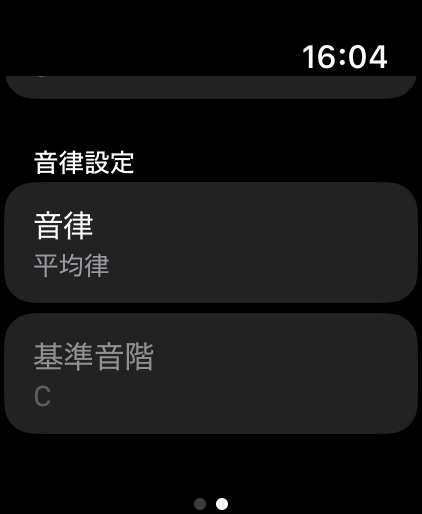
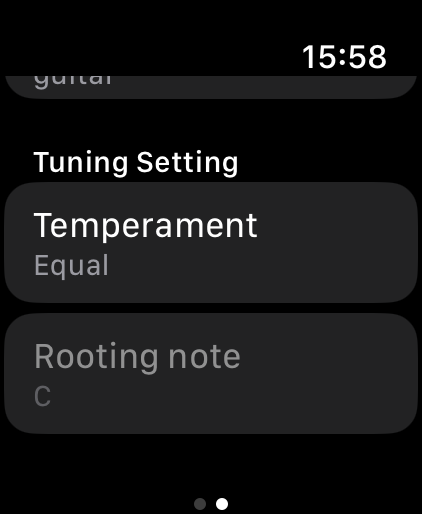
古典音律設定
音律選択

ウクレレ特有の「すぐにズレる」を解決

ウクレレの弦は、気温の変化やストロークの強さで驚くほど簡単に音程がズレてしまいます。本アプリは、調律が完了した後も周波数をリアルタイムで常時監視。正しいピッチが維持されている間は画面にチェックマークを表示し続けるため、演奏中も一目で楽器の状態を確認できます。

プロも納得の充実機能

Your Perfect Pitch, Right on Your Wrist.

No more carrying bulky clip-on tuners. Welcome to "Ukulele Tuner", the next-generation tuning app built custom for ukulele and guitar players.

Download on the App Store

Screenshots

Tuning Screen
Ukulele Mode
Checkmark Status
Pitch Monitor
Select Instrument Screen
Select Instrument
Temperament Settings
Temperaments

Stay in Tune with "Continuous Monitoring"

Ukulele strings are notorious for going out of tune quickly due to temperature and playstyle. This app continuously monitors the frequency even after you finish tuning. A reassuring checkmark stays on the screen as long as your pitch is perfect, letting you focus entirely on your performance.

Advanced Features for Passionate Players

よくあるご質問 (FAQ)

Q. アプリが楽器の音を認識しません。
A. Apple Watchの「設定」>「プライバシーとセキュリティ」>「マイク」から、本アプリのアクセス権限が「オン」になっているかご確認ください。

Q. Low-Gウクレレの調律はどうすればいいですか?
A. アプリ内の楽器選択画面から「Ukulele (Low-G)」モードを選択してください。4弦(G)の低い周波数を自動で認識します。

Q. ギターの調律には対応していますか?
A. はい、対応しています。設定画面から「Guitar」モードに切り替えてご利用ください。レギュラーチューニングに対応しています。

Q. 純正律やピタゴラス律に変更するには?
A. チューニング画面の「音律(Temperament)」ボタンをタップすることで、平均律(Equal)、純正律(Just)、ピタゴラス律(Pythagorean)を切り替えられます。事前に基準音(Key)を設定してください。

Q. 画面の「チェックマーク」は何を意味していますか?
A. チューニングが成功し、正しい周波数が維持されているサインです。演奏中に音程がズレるとチェックマークが消え、再度チューニングを促します。

Frequently Asked Questions (FAQ)

Q. The app is not picking up my instrument's sound.
A. Please ensure microphone access is enabled on your Apple Watch via Settings > Privacy & Security > Microphone.

Q. How do I tune a Low-G ukulele?
A. Select the "Ukulele (Low-G)" mode from the instrument selection screen. The app will automatically recognize the lower frequency of the 4th string (G).

Q. Does the app support guitar tuning?
A. Yes, it does. Please switch to "Guitar" mode in the settings screen. It supports standard guitar tuning.

Q. How can I switch to Just Intonation or Pythagorean tuning?
A. Tap the "Temperament" button on the tuning screen to cycle through Equal, Just, and Pythagorean modes. Please set your reference Key beforehand.

Q. What does the "Checkmark" mean?
A. It indicates that your instrument is perfectly in tune and the correct frequency is maintained. If the pitch drifts while playing, the checkmark disappears to prompt a retune.

お問い合わせ・サポート (Support)

本アプリに関するご質問、バグ報告、機能のご要望は下記までご連絡ください。

メールアドレス: ukulele_tuner_support@sharehappinesses.com

※お問い合わせの際は、ご利用の「Apple Watchのモデル」および「watchOSのバージョン」を本文にご記載いただけますとスムーズに対応が可能です。

Support & Contact

If you have any questions, bug reports, or feature requests regarding the App, please contact us at:

Email: ukulele_tuner_support@sharehappinesses.com

*When contacting support, specifying your Apple Watch model and watchOS version will help us respond to your inquiry more efficiently.